An industrial asset management application, built on ELWIS, that follows every machine a manufacturer builds from engineering and production through installation, field service and decommissioning, giving the service organisation one traceable record per asset, fully editable inspection protocols, and work orders that technicians can complete offline on site and have the customer sign digitally.

The problem
Engineering data lived in PLM, production records in the ERP, and everything that happened to an asset after delivery in the service department's spreadsheets, e-mail inboxes and paper folders, with nothing connecting the three. Tickets and work orders were never linked, protocols could only be changed by IT, and technicians at sites with no connectivity filled in paper forms that were typed up days later. Tracing the full history of a single serial number took days of searching across systems and languages.
01
Which drawing revision and parts list was this serial number actually built to?
02
Has this customer ticket already been turned into a work order, and who is on it?
03
Do we have enough qualified technicians and spare parts for next month's jobs?
04
What exactly are we allowed to show the customer about their own machine?

Cradle-to-grave lifecycle
Every asset represented across its full lifecycle, from engineering to decommissioning.

End-to-end traceability
Every change, part, inspection and signature traced back to its source, for every serial number.

Engineering linked to assets
Engineering information linked to the lifecycle record of each asset in the field.

Editable protocols
The service organisation edits and versions its own asset management protocols without developers or IT tickets.

Tickets to work orders
Customer tickets become planned work orders in one step, with service capacity planned against them.

Offline and signed
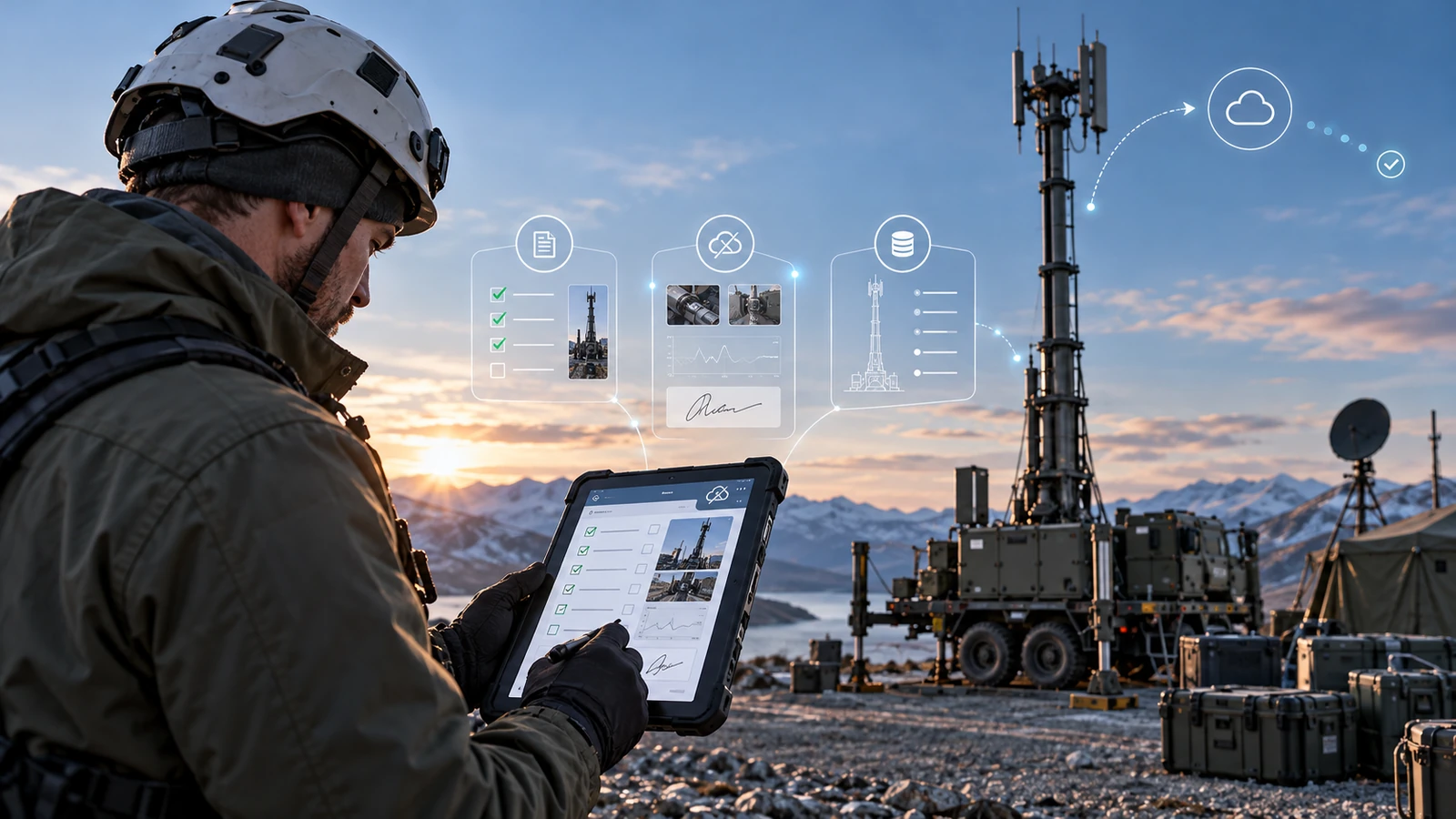
Technicians work fully offline in the field and under special conditions, with digital signatures replacing paper sign-off.

Controlled sharing
100% control over which asset information is shared with each customer, in the customer's own language.
Key features
Everything a service organisation expects
PROTOCOLS
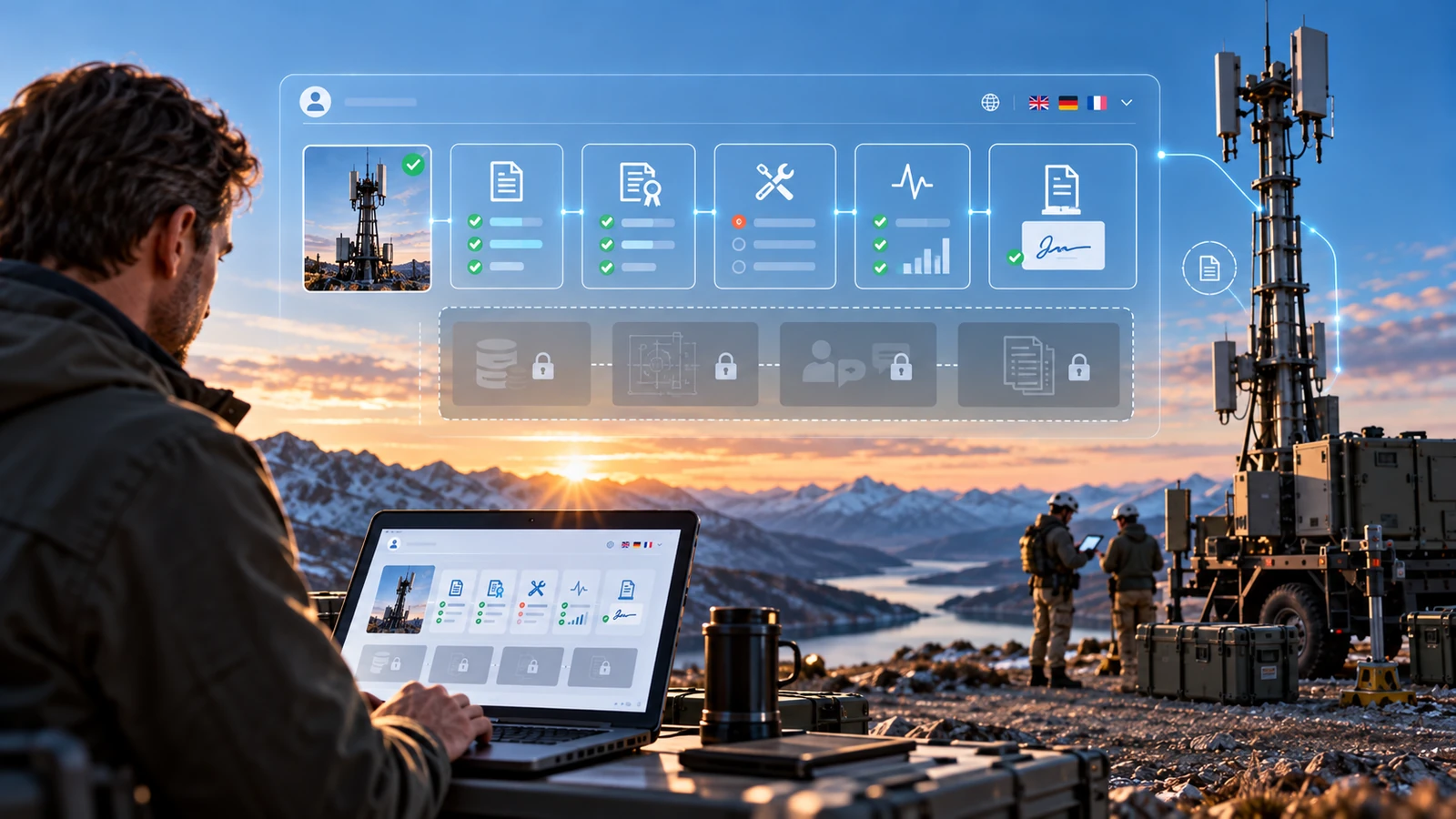
Inspection, maintenance, commissioning and decommissioning protocols are built and changed by the service team itself in the ELWIS Page Builder: new fields, sections, rules and versions without a developer or an IT ticket. Every protocol is versioned, each step uses the input that fits it, from checkboxes and pass/fail toggles to measurements, photos and free text, and out-of-tolerance values are highlighted on entry with an automatic follow-up ticket.
SERVICE
A fault reported by a customer, a hotline call or an automated alert arrives as a ticket on the asset's record and becomes a work order with one click, with asset, location, description, attachments and priority carried over automatically. Ticket and work order stay linked so the customer can follow progress, while a capacity board by team, region, qualification and week shows overloads before they happen and lets planners move jobs by drag and drop.

ASSETS
A searchable directory of the entire installed base across customers, sites and countries, filterable by product line, serial number, status or warranty. Each profile shows configuration, as-built parts list, location, contracts and open work at a glance, flags overdue inspections automatically and keeps the complete history (every work order, protocol, measurement and part replacement) next to searchable manuals, certificates, drawings and photos.

ENGINEERING & LIFECYCLE
Product structures, drawings, CAD references, revisions and engineering change notices are linked to the product type and inherited by every serial number built from it, so technicians see exactly which drawing revision and part numbers apply on site. Each asset is tracked on one timeline from engineering and production to retrofit, relocation and decommissioning, with every change logged by user, timestamp and protocol version, so an auditor's question about a serial number is answered in minutes, not days.

FIELD
Technicians download work orders, protocols, drawings and asset history before leaving and work fully offline at remote sites, in shielded areas or under special conditions, replacing paper protocols typed up days later. Technicians and customers sign directly on the tablet or phone, also offline, with the signer's name, role, time and location stored with the record and embedded in the PDF report. Everything syncs automatically and conflict-free as soon as a connection returns.
CUSTOMERS
The provider decides field by field and document by document which asset information each customer sees: service history, certificates, manuals, open work orders or measurements. Internal notes, costs and engineering data stay private, while customers get a clean, always-current view of their own assets, in multiple languages, with unlimited ELWIS applications per user licence.

INVENTORY
Spare parts live as their own artifact type, linked to the product structures, assets and work orders that use them, with stock per warehouse and service van. Parts consumed on a work order update the asset's as-maintained configuration and the inventory at the same time, with no double entry, and low-stock items are flagged automatically.

The solution
Every build starts the same way: map how the team actually works, then model it in ELWIS. Custom development blended with a powerful no-code layer.
Page Builder
Compose screens and workflows visually, with no front-end engineering.
Configurable Type System
Assets, product structures, protocols, work orders and parts defined as artifact types with their own attributes and links.
Client-owned governance
The client creates and edits artifacts, artifact types and attributes directly, without relying on developers.
Before / After
Faster answers, no re-typing and a service organisation that can plan ahead, measured before and after go-live.
Area
Before
After ELWIS
Tracing the full history of a serial number
2 to 3 days
< 15 min · −95%
Ticket to scheduled work order
1 to 2 days
< 2 hours · −90%
Protocol write-up after a field visit
2 to 3 hours
0 (done on site) · −100% re-typing
Changing an inspection protocol template
3 to 4 weeks (IT)
< 1 day (service team) · −95%
First-time fix rate
68%
84% · +16 pts
Overdue preventive inspections
14%
3% · −79%
How it works
The implemented journey is simple and operationally grounded, resulting in a system that is easy to use and learn for everyone, as well as efficient for maximum productivity:
1
Report the fault
A customer's plant operator reports a fault on a pump unit; the ticket lands on the asset's record with its full history and engineering revision attached.
2
Plan the work order
The dispatcher converts the ticket into a work order, checks the capacity board and assigns a qualified technician with the right spare parts reserved.
3
Sync before leaving
Before leaving, the technician syncs the work order, protocol, drawings and asset history to the tablet.
4
Work offline on site
On site, with no signal in the plant hall, the technician works through the editable protocol (checkboxes, measurements, photos and notes) fully offline.
5
Sign and sync
The customer signs the completed work digitally; once back online, everything syncs and the asset history, parts inventory and traceability log update automatically.
6
Share and feed back
The customer sees the signed report in their own language in the shared asset view, while engineering receives the field findings linked to the product revision.
Built on a platform already in production and delivered in 12 weeks from kick-off to go-live, covering service, field, engineering and customers in one application.
320
working hours total
26
application screens
12
weeks to delivery
140
users · 95 internal, 45 customer & partner
Security & access control
Role-based permissions
Each role sees only what it needs; customer views limited by field-level sharing rules.
Full audit trail
Every create, change and signature logged; superseded records archived, never deleted.
Encrypted offline storage
On-device encryption and remote wipe for lost tablets.
Secured hosting with daily backups
GDPR-compliant infrastructure with daily backups and single sign-on.
“
Every machine now carries its full story, from the drawing to the last signature, even where there's no signal.
Head of Global Service, defence system integrator (name withheld)
Conclusion
One traceable record for every asset across its whole life, on a platform the service organisation can adapt itself and extend to further processes.
PLANNED NEXT
Predictive Maintenance
IoT Sensor Integration
Customer Self-Service Portal
Digital Product Passport
01
One record from cradle to grave
4,800 machines across 610 customer sites in 23 countries now live in a single, traceable asset record linked to their engineering data.
02
No more re-typing in the office
Protocols are completed and signed on site, even offline, so reports reach the customer the same day.
03
Service changes without IT
The service team has created or revised 37 protocol templates itself since go-live.
04
A plannable service organisation
Capacity planning cut overdue preventive inspections from 14% to 3%.
05
Customers see exactly what they should
A shared, multilingual asset view replaced ad-hoc e-mailed PDFs.
Book a 45-minute session tailored to your industry, team size, and deployment requirements. No generic pitches—just real answers from a solutions engineer.